After weeks of planning, the equipment finally arrives: cabinets, processors, road cases, cables, and mounting hardware. The worst time to discover shipping damage or a missing component is on installation day. Inspecting the shipment immediately gives the buyer time to document problems, protect warranty rights, and keep the project on schedule.
For LED video walls, delivery acceptance should cover three things: physical condition, order accuracy, and basic functionality. LED walls should be checked before they disappear into storage, while LED displays should be powered up in a small sample whenever possible. A structured inspection can turn a potential installation delay into a manageable delivery issue.

Inspect the LED Screen Shipment as It Arrives
Start With the Packaging, Not the LED Panels
The inspection begins before the first case is opened. Check road cases, pallets, boxes, and protective packaging for crushed corners, punctures, broken latches, damaged wheels, moisture, or signs that the load shifted during transit. Visible exterior damage should be photographed before the shipment is accepted.
If LED panels arrive in compromised packaging, note the condition on the carrier’s delivery receipt rather than signing without comment. Clear documentation at the time of delivery makes later freight or warranty claims much easier to support.
Count Everything Before It Disappears Into Storage
Compare the shipment with the packing list, purchase order, and project specifications before moving anything into long-term storage. Do not stop at counting cabinets. Inventory processors, data and power cables, rigging hardware, spare modules, receiving cards, power supplies, service tools, and other included accessories.
A missing cable or mounting component can delay LED screen packages just as easily as a missing cabinet. For LED display panels, confirm both quantities and part numbers where the project depends on a specific configuration. A complete count now prevents last-minute surprises at the site.
Do Not Let a Clean Box End the Inspection
Undamaged packaging does not guarantee undamaged equipment. Strong vibration or impact can loosen internal connections, bend pins, damage modules, or affect cabinet alignment without leaving a visible mark outside the case. Every shipment still needs an internal visual inspection.
This is especially important with LED devices that contain sensitive electronic and mechanical components. A few minutes spent checking cabinet interiors and connectors can reveal problems that packaging alone will never show.
Confirm That You Received the LED Panel You Actually Ordered
Match the Cabinets to the Project Specifications
Two cabinets can look nearly identical while having different pixel pitches, refresh rates, brightness levels, dimensions, or internal components. Verify the delivered specification against the approved order rather than relying on appearance.
For LED video walls, confirm pixel pitch, cabinet size, LED type, refresh rate, brightness capability, and service configuration. LED walls intended to expand an existing installation should also be checked for mechanical and visual compatibility. An “equivalent” model is not always interchangeable in a finished system.
Check the Components That Make the System Work Together
The control hardware should match the architecture specified for the project. Confirm processors, sending hardware, receiving cards, and required interfaces before commissioning day. Part-number accuracy matters when the system depends on a specific control ecosystem.
For LED displays, mismatched receiving cards or unsupported processors can create communication and configuration problems. LED display panels should also be checked against the approved control map when several cabinet types or production batches are involved. Compatibility problems are far easier to solve in the warehouse than during installation.
Verify the Accessories You Will Need on Installation Day
A technically complete display can still be unusable if a critical accessory is missing. Confirm the full installation kit before the equipment is released to the field.
- Power and data cables: correct connector types, lengths, and quantities.
- Spare components: modules, power supplies, and receiving cards included with the order.
- Mounting hardware: hanging bars, stacking bases, plates, brackets, and required fasteners.
- Service tools: magnetic extraction tools, suction cups, or other front-service equipment.
- Setup accessories: adapters, antennas, configuration cables, manuals, wiring diagrams, and warranty documentation.
For LED screens, these small items often determine whether commissioning can proceed without interruption. The checklist should reflect the installation method, not just the display hardware itself.

Power Up a Sample Before the Full Installation
A Delivery Inspection Should Include a Functional Check
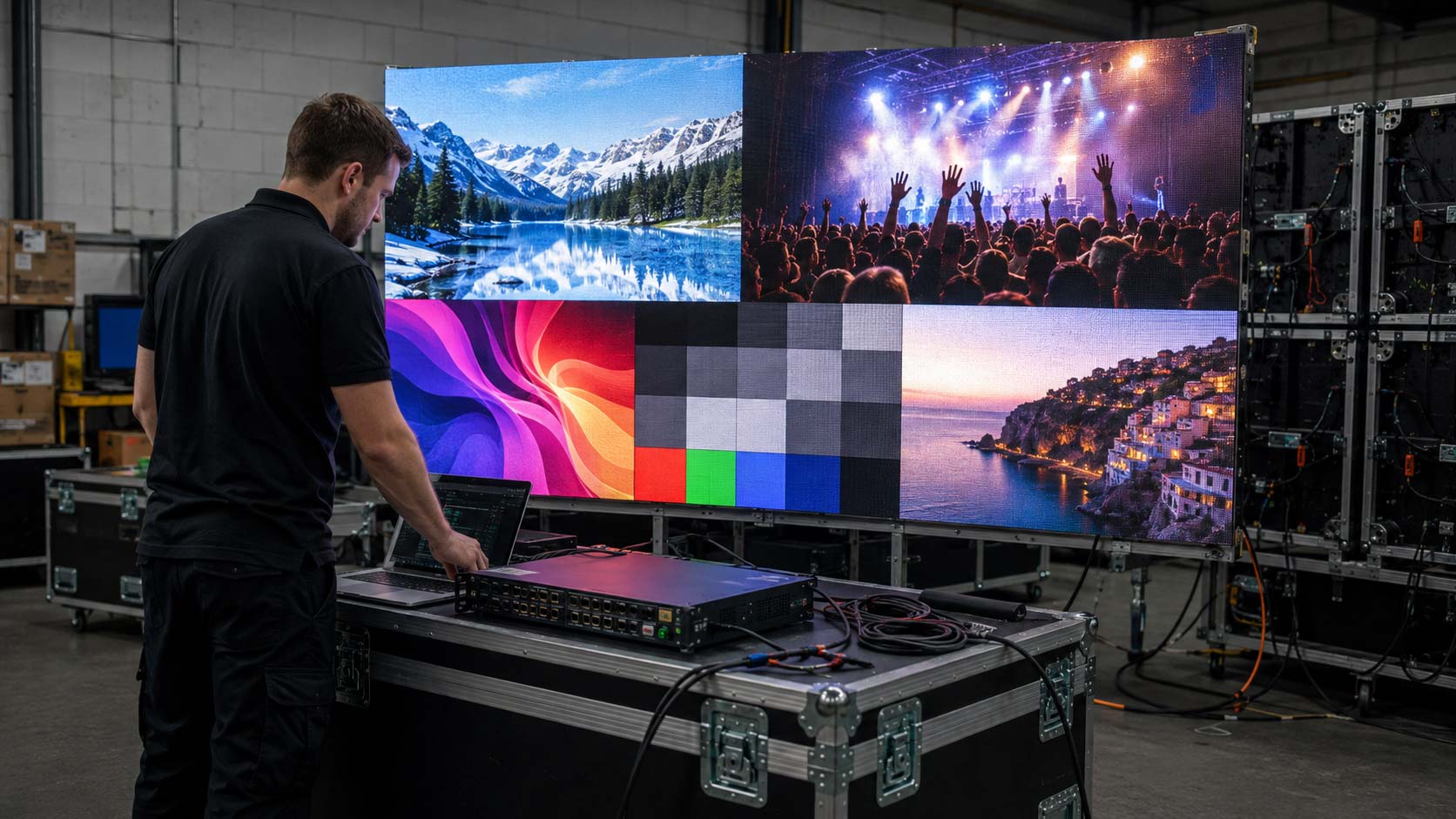
Whenever space and power are available, connect a small representative group of cabinets before installation day. The goal is not to build the full display; it is to verify that the equipment powers on, receives signal, and behaves normally.
Testing several LED panels together can expose issues that a visual inspection cannot. With LED technology, shipping-related faults may only become apparent after power and data are applied. A short bench test provides much more confidence than storing untested equipment.
Look for Problems That Only Appear with an Image
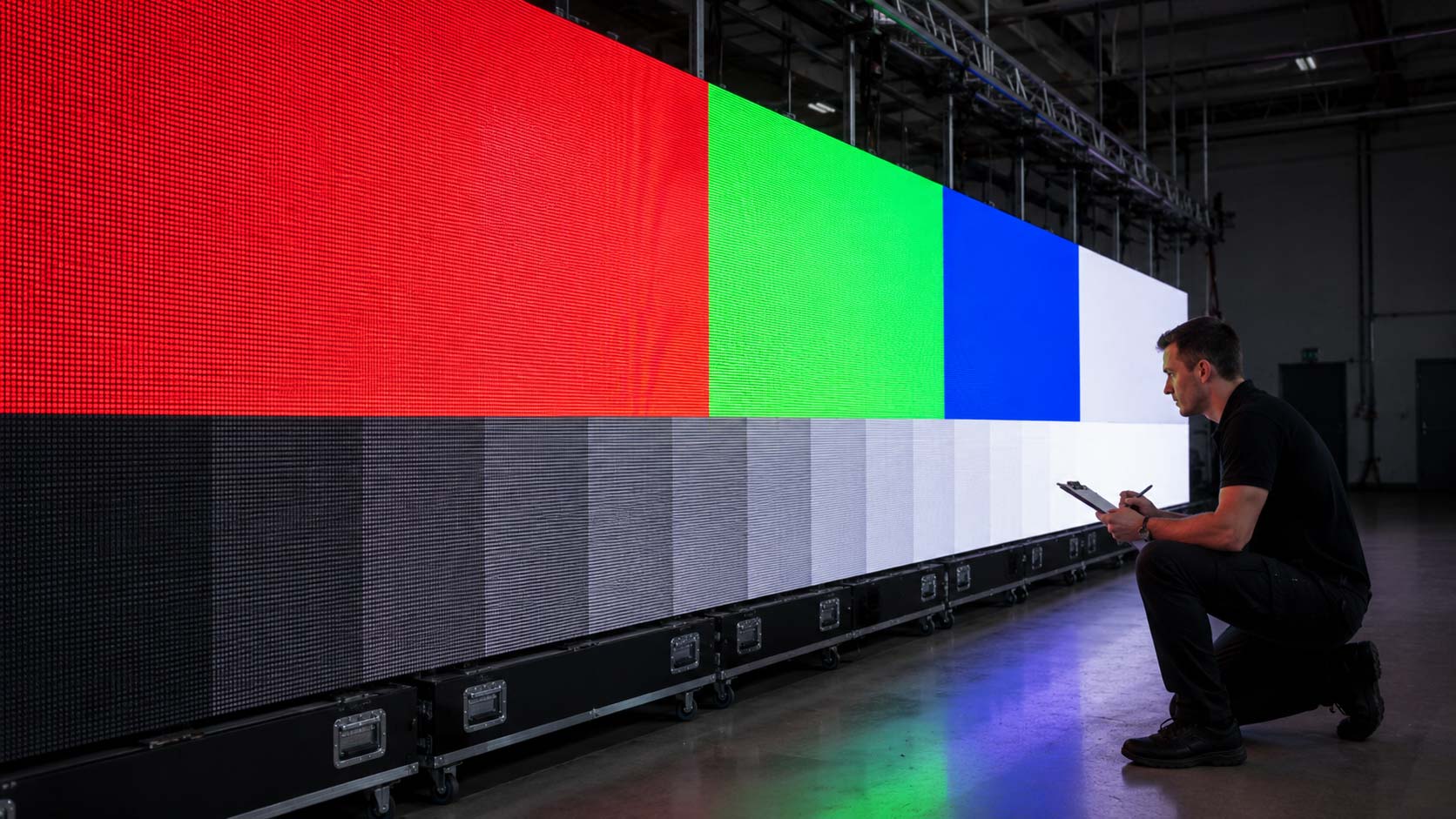
Once the sample is running, inspect it for dead or stuck pixels, uneven color, abnormal brightness, flicker, image loss, digital noise, or visible alignment problems. Many defects only become obvious when the display is actively processing content.
Compare cabinets within LED video walls for uniformity rather than judging each one in isolation. On LED walls, dark edges, bright seams, or inconsistent modules may indicate calibration, alignment, or hardware issues. Document anything unusual with clear photos or video while the test setup is still assembled.
Test More Than a Static Logo
A static image is useful, but it cannot reveal every problem. Use several test patterns and motion conditions to evaluate the sample more effectively.
Display pure red, green, blue, and white to identify pixel defects and color inconsistencies. Use grayscale and gradients to evaluate tonal transitions, then play fast-moving content to reveal flicker or processing artifacts. For LED displays, test both high and reduced brightness levels; for LED display panels, watch for voltage-related changes or inconsistent output. A varied test sequence gives a much clearer picture of system health.


Inspect the LED Wall for the Environment It Will Enter
Outdoor Equipment Needs More Than a Power-On Test
Outdoor equipment must be checked for environmental protection as well as electrical operation. A successful power-on test does not confirm weather resistance.
For outdoor LED screens, inspect cabinet seals, gaskets, port covers, rear doors, and other weather-exposed points. LED panels supplied for outdoor use should match the contracted protection rating and show no visible damage to sealing surfaces. Compromised protection can lead to moisture intrusion, corrosion, and premature failure.
Check the Parts You Will Need to Service Later
Delivery day is also the right time to verify how the system will be maintained. Confirm whether access is front, rear, or both, and test the service tools included with the order. Maintenance features should work before the system is installed in a difficult location.
For LED solutions that use magnetic modules, verify that extraction tools remove and reinstall modules cleanly. For rear-service systems, check that doors, latches, and internal components are accessible without binding. Good service access reduces downtime once the equipment is in operation.
Make Sure the Hardware Fits the Real Site
Compare cabinet dimensions, weight, mounting points, and hardware with the approved structural drawings. A mismatch between the delivered equipment and the site can stop installation even when every cabinet works perfectly.
The total load of LED video walls must remain within the capacity of the wall, ground-support structure, or rigging system. LED walls should also be checked for required clearances, cable routing, and service access. Physical compatibility is part of acceptance, not something to discover during assembly.
Document Acceptance Before the Boxes Leave the Floor
Build a Simple Acceptance Record
A clear acceptance record protects the buyer and gives the supplier useful information if an issue needs to be resolved. Keep the documentation together before the equipment is moved into storage.
Record photographs of packaging and any damage, cabinet and processor serial numbers, the verified packing list, missing or damaged items, and the results of the bench test. For LED displays, include any visual or functional anomalies observed during testing; for LED display panels, note affected cabinet or module IDs whenever possible. Specific records make support and replacement decisions faster.
Keep copies of the purchase order, warranty terms, and delivery documentation with the same record. The objective is a simple paper trail showing what arrived, what was tested, and what still requires action.
Confirm the Control and Content Workflow
Before storage, verify that the control workflow is complete. Confirm required configuration software, licenses, setup cables, technical guides, and content-management tools. Hardware acceptance should include the items needed to operate the system, not just the physical display.
For LED screens, a missing configuration cable or unsupported software version can create avoidable commissioning delays. A complete hardware-and-software check gives the integration team a clean starting point.
Know What Needs to Be Resolved Before Installation
Classify the shipment before it leaves the receiving area. A simple acceptance status helps everyone understand whether installation can proceed.
- Accept: the order matches the approved specifications, quantities are correct, and basic functional testing is successful.
- Accept with documented exceptions: a minor, isolated issue has been photographed, recorded, and reported, while the rest of the system can proceed.
- Escalate before installation: structural damage, missing critical equipment, incompatible batches, or major specification discrepancies could affect commissioning or project safety.
The goal is not to reject equipment over every minor issue. It is to identify problems early enough for American LED Screens to arrange support, replacement parts, or warranty action before they disrupt the installation schedule.